A Step By Step Guide on Using Excel in PowerApps
Thursday, September 12th, 2019 / by Excel Champ
Pro-level PowerApps users now import excel sheets in their files to facilitate report making. They use Microsoft Excel as the data source that links with the new PowerApp file and helps to input the information they require. Interested in learning about how to implement this trick? Let’s take a quick look. Step 1 Open the […]
Read More
Detecting and Preventing Worksheet Errors in Excel
Thursday, August 22nd, 2019 / by Excel Champ
Excel is an incredibly powerful tool for working with long lists of numbers and even complex datasets. The bigger and more complex the data gets, however, the more likely it is that errors will creep into the formulas that you are using. Sometimes, diagnosing those errors can be tricky. The cell which throws the error […]
Read More
How to Visualize Data in Excel and Make Appealing Charts
Friday, July 12th, 2019 / by Excel Champ
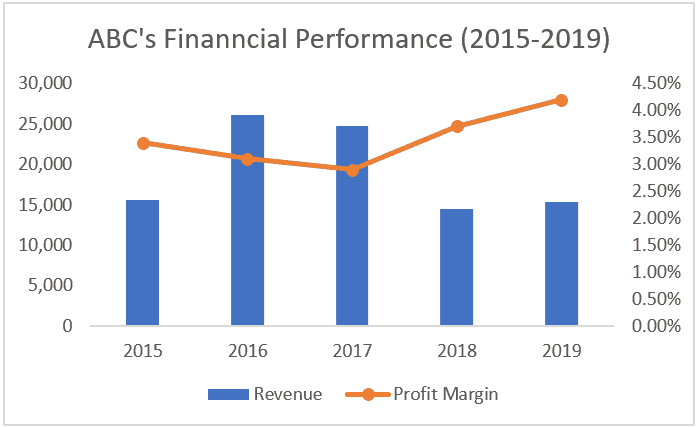
Charts help to make various graphical representations visually impressive. In Excel, the visual representation of your data story will determine how well your presentation is received. But, where will you visualize data in Excel? Here’s what you need to do: 1. Error-free spreadsheet The first thing to ensure is to keep the excel sheet free […]
Read More
All About Excel Pivot Tables
Friday, June 7th, 2019 / by Excel Champ
Pivot tables are a powerful data analysis tool that you can use to get insights into the data that you are working with. To create pivot tables, you need to first of all organize your data into clear rows and columns with labels that make sense for the data that you are working with, so […]
Read More
Using Power Query to Clean Your Excel Data
Thursday, May 9th, 2019 / by Excel Champ
Power Query is a handy feature in Excel that helps you to clean your data, and change it into the format that you need it in. Power Query has been available in Excel for a long time, although in Excel 2016 it was called Get and Transform instead. This tool is an ETL (Extract, Transform […]
Read More
Select New Features in Excel 2019
Wednesday, October 24th, 2018 / by Excel Champ
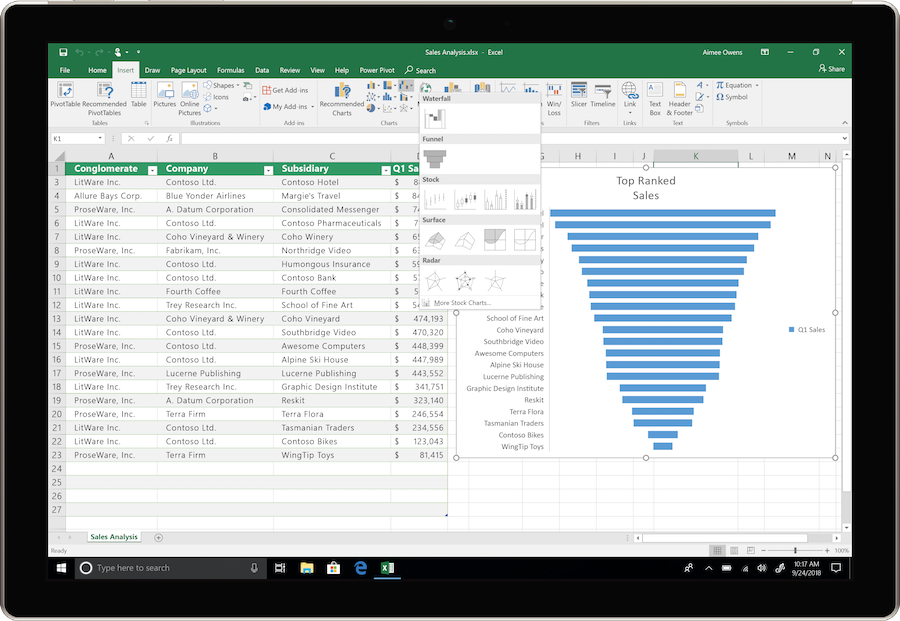
Microsoft is rolling out several new features in Excel 2019, some of which are already available to Office 365 Subscribers. Here we will highlight a few of our favorites: Funnel Charts and the IFS, MAXIFS, MINIFS and SWITCH functions. Funnel Charts Funnel charts are commonly used in sales organizations to show how leads are converted […]
Read More
Data Prep: Unformat your Formatted Tables
Friday, October 19th, 2018 / by Excel Champ
Tables come in many styles and formats. For reporting purposes, the better a table is formatted, the easier it is to read. However, formatting is often our enemy when we attempt to use the data for analysis, database, and data integration purposes. In this blog post, we will demonstrate how to unformat a table and […]
Read More
Using Excel Online for File Sharing with OneDrive and Excel Desktop
Friday, July 13th, 2018 / by Excel Champ
Microsoft Office 365 provides users with a combination of widely used and familiar applications, such as Excel, Word, and PowerPoint, along with some new tools, cloud storage, and more. This post intends to bring some clarity to the use and sharing of files with Excel Online, and how that relates to Excel Desktop and OneDrive. […]
Read More
Finding and Analyzing Unique Values in Excel Spreadsheets
Monday, June 4th, 2018 / by ExcelHelp
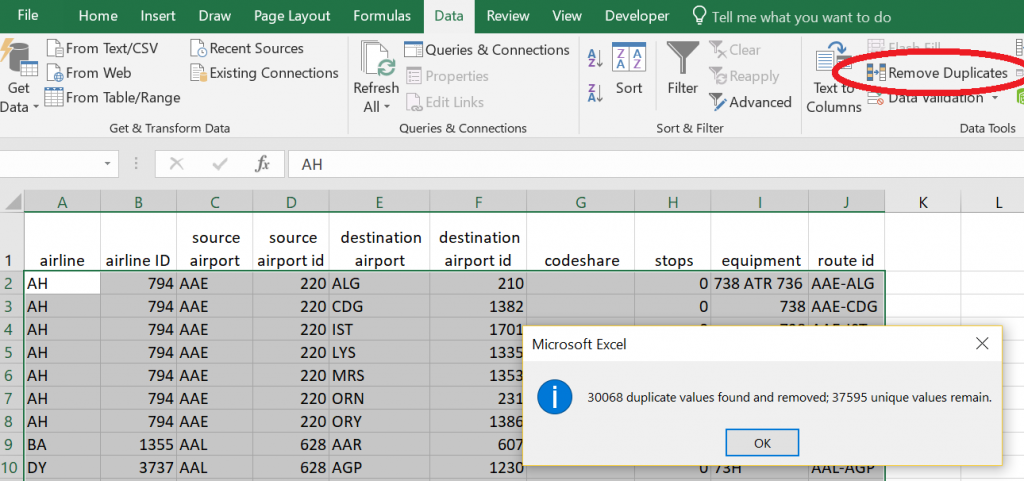
Excel users often need to find unique values in a data field and conduct some sort of analysis on those unique values. The larger the data set, the more efficient this process needs to be. Most certainly, using the “Find” functionality on each value is the last thing anyone wants to do. Fortunately, Excel has […]
Read More
The Importance of Custom Excel Spreadsheets
Monday, March 5th, 2018 / by Excel Champ
The need to see data with clarity will never disappear in business. A spreadsheet that is well formatted, flexible and professional looking reduces the potential for errors and misinterpretation. Excel offers a nearly universal means by which to communicate data and numbers. Excel has been around since 1985, and it’s one of the few software […]
Read More
5 Ways to Improve Microsoft Excel Skills – Excel Training
Monday, January 29th, 2018 / by Excel Champ
Excel Training: 5 Ways to Improve Microsoft Excel Skills Every day, millions of files around the world are created, opened, and edited in Microsoft Excel. As an original member of the Microsoft Office Suite, the cross-platform spreadsheet software has evolved over the decades to meet the demands of engineers, database programmers, accountants, administrators, educators, publishers, and […]
Read More
Microsoft Excel for Streamlining Work Processes
Tuesday, December 12th, 2017 / by Excel Champ
Microsoft Excel has been around for years, but that only means the software has continually improved to better meet the needs of modern businesses. Many small companies use Excel to help with their simple accounting tasks, but Excel offers much more than these basic functions. Companies that work with complicated financial analysis rely on Excel. […]
Read More
![Excel Consulting, Development and Training [Expert Consultants]](https://www.excelhelp.com/wp-content/themes/excelhelp-opt7/assets/img/excelhelp-logo.png)